

The University of British Columbia
UBC - A Place of Mind
The University of British Columbia Vancouver campus
Teacher Education Resource Hub
  • Resources
    • STEAM Resources
    • Suggest A Resource
EDUC
CSS MenuMaker
  • Home
  • About
    • Meet the Team
    • Special Projects
  • Resources
    • Remote Teaching & Learning Resources
    • STEAM Resources
    • School District Resource Links
    • TeachBC
  • Planning & Pedagogy
  • Ask a Question!
  • Workshops & Events

apps

Drag and Drop Programming: Scratch

Drag and Drop Programming: Scratch

Posted in 4-7, 8-12, AppliedDesignSkillsTechnologies, English, Resource | Tagged with ADST, algorithms, app, apps, coding, Free, lesson planning, STEM, Teacher Use

Scratch is a simple drag and drop programming language for kids of all ages to learn the basics of coding. It is free and available both as a web and desktop application. ScratchJr for ages 5-7 is available on Android and iOS tablets. With Scratch you can create anything: animations, stories, narratives and games to […]

Anatomy 4D : using AR to teach human body structure

Anatomy 4D : using AR to teach human body structure

Posted in 4-7, 8-12, AR & VR Tools, English, Post Secondary, Resource | Tagged with app, apps, augmented reality, biology, engagement, Free, human body structure, interactivity, multimedia, science, simulation, Simulations, Teacher Use

PLEASE NOTE: Anatomy 4D is no longer available, but you may still be able to use the app if you downloaded it prior to May 2018. You can explore the other AR/VR technologies in our collection of resources to see newer alternatives to Anatomy 4D. Anatomy 4D is an iOS and Android-based, Augmented Reality app […]
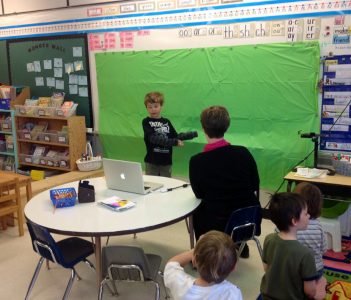
Green Screen for Storytelling

Green Screen for Storytelling

Posted in 4-7, 8-12, AR & VR Tools, English, Fine Arts, K-3, multimedia creation, Not Subject Specific, Paid, Resource | Tagged with app, apps, augmented reality, digital storytelling, engagement, makerspace, Presentation, Teacher Use

  Create your own narrative using green screen technologies. Using a Green Screen (sheet of fabric or paper or even a chalkboard) and a video editing application, you can filter out the background of any image or video so that you can overlay your central image on any background – real or imagined! Green Screen by […]
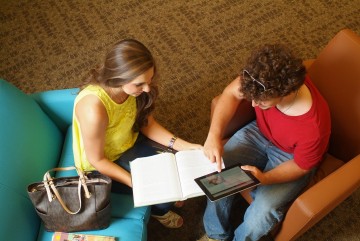
iPad possibilities – preparing for practicum!

iPad possibilities – preparing for practicum!

Posted in 4-7, 8-12, English, K-3, Not Subject Specific, Paid, Resource | Tagged with app smashing, apps, ets, interactivity, iPad, iste-1, iste-2, Language Arts, lesson planning, multimedia, sandbox session, scarfe sandbox, Teacher Use

Technology use for technology’s sake is not what we are striving for in education today. Transforming learning by providing opportunities that would not otherwise be afforded is a goal that, with emerging technologies and increased access, may be achievable. This transformation can be as simple as allowing for as-needed differentiation, as is the case when […]
ThingLink: Annotate Images and Videos

ThingLink: Annotate Images and Videos

Posted in 4-7, 8-12, AR & VR Tools, English, Not Subject Specific, Paid, Resource | Tagged with apps, augmented reality, design, field trip, Free, interactivity, iPad, multimedia, Presentation, Teacher Use, Thinglink

Thinglink is a web-based and iOS / Android application that allows you to embed  audio, video and other rich media links directly into images and share them across the web. Using Thinglink, you can engage your students with images text, video, songs and sound clips allowing them to explore the concept or big idea of a unit […]


Back to top
  • Previous
  • 1
  • …
  • 6
  • 7
  • 8
  • 9
  • Next
Creative Commons License

Scarfe Digital Sandbox by Scarfe Digital Sandbox is licensed under a Creative Commons Attribution-NonCommercial 4.0 International License.

Log In

Teacher Education Program & PDCE
Faculty of Education
Vancouver Campus
155 - 2125 Main Mall
Neville Scarfe Building, UBC
Vancouver, BC Canada V6T 1Z4
Website educ.ubc.ca
Email scarfe.sandbox@ubc.ca
Back to top
The University of British Columbia
  • Emergency Procedures |
  • Terms of Use |
  • Copyright |
  • Accessibility