

The University of British Columbia
UBC - A Place of Mind
The University of British Columbia Vancouver campus
Teacher Education Resource Hub
  • Resources
    • STEAM Resources
    • Suggest A Resource
EDUC
CSS MenuMaker
  • Home
  • About
    • Meet the Team
    • Special Projects
  • Resources
    • Remote Teaching & Learning Resources
    • STEAM Resources
    • School District Resource Links
    • TeachBC
  • Planning & Pedagogy
  • Ask a Question!
  • Workshops & Events

sandbox session

cc image pixabay.com

Hook ‘em – Using Visuals and Multimedia to Engage Students

Posted in English, Not Subject Specific, Resource | Tagged with activating strategies, ets, Free, hooks, lesson planning, multimedia, sandbox session, scarfe sandbox, Teacher Use

A hook or activating strategy is intended to engage students and help them access and apply prior knowledge to the current concept, lesson or unit of study. Auseubel (1978), recognizes that the activation of prior knowledge helps to deepen learning by bridging between what was known and new material. Creating just the right motivator or […]
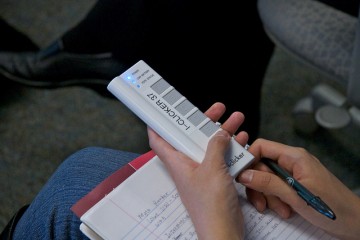
Interactive Classrooms – iClickers for active learning

Interactive Classrooms – iClickers for active learning

Posted in 4-7, 8-12, English, Not Subject Specific, Paid, Resource | Tagged with Assessment, ets, iclickers, interactivity, sandbox session, student response system, student response systems, Teacher Use

iClickers are handheld and wireless elearning devices in which students can respond to questions by the click of a button to answer in class quizzes and polls. With its real time response capabilities, the results from the assessment can be tracked instantly and displayed back to the class. Lessons can be customized with this feedback […]
Interactive WhiteBoards – Be Smart Savvy!

Interactive WhiteBoards – Be Smart Savvy!

Posted in 4-7, 8-12, AppliedDesignSkillsTechnologies, Blog Posts, Fine Arts, K-3, Paid, Physical and Health | Tagged with ADST, interactive whiteboards, IWBs, Language Arts, math, multimedia, sandbox session, scarfe sandbox, Teacher Use

Interactive WhiteBoards, like the SmartBoard, have become commonplace in many schools over the past decade. IWB’s afford access to a variety of learning styles and can support inclusion according to Universal Design for Learning theory (Pellerin, 2013). They promise the ability to increase student engagement by providing a focal point for instruction, interactivity, gaming and […]

Skype in the Classroom

Skype in the Classroom

Posted in 4-7, 8-12, Blog Posts, K-3, Not Subject Specific | Tagged with app, Language Arts, sandbox session, scarfe sandbox, skype

Have you heard of the online educational community being offered through Skype? Visit the Connected Classroom page here in the sandbox for more in depth info! Skype in the Classroom helps to match classrooms with experts in their fields on Skype to support classroom units. You can sign up and search for lesson plans and […]
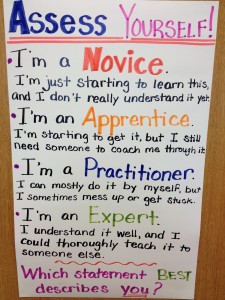
FreshGrade ‘Lunch and Learn’

FreshGrade ‘Lunch and Learn’

Posted in Blog Posts, Not Subject Specific | Tagged with Assessment, ePortfolio, sandbox session, Teacher Use

Bring your lunch to the Scarfe Sandbox and practice incorporating portfolio based assessment using FreshGrade with your class. FreshGrade is a free application being used in Districts across the lower mainland and BC to support interactive, learner centered, formative assessment and communicating student learning with parents. *FreshGrade is ‘FOIPPA’ compliant – all data is house […]


Back to top
  • Previous
  • 1
  • …
  • 3
  • 4
  • 5
  • …
  • 7
  • Next
Creative Commons License

Scarfe Digital Sandbox by Scarfe Digital Sandbox is licensed under a Creative Commons Attribution-NonCommercial 4.0 International License.

Log In

Teacher Education Program & PDCE
Faculty of Education
Vancouver Campus
155 - 2125 Main Mall
Neville Scarfe Building, UBC
Vancouver, BC Canada V6T 1Z4
Website educ.ubc.ca
Email scarfe.sandbox@ubc.ca
Back to top
The University of British Columbia
  • Emergency Procedures |
  • Terms of Use |
  • Copyright |
  • Accessibility