Looking for free stock photos to enhance your classroom lectures, presentations, and student projects? Stockvault is an online collection of user submitted material available for use in non-commercial purposes. Featured images range from photos and pencil sketches to computer generated graphics such as textures and illustrations. With over 50,000 categorized and tagged images in their database, you should be able to find that image that illustrates your idea quickly, easily, and for free.
Visual content is proving to be a valuable resource as a more engaging tool than plain text. Coupled with video, a multimedia presentation with interesting visuals brings out more conversations and responses from the audience, and the content is better retained. The value of visual content for educational purposes is definitely positive! Because it is so simple to gather free images from Stockvault, with little effort, there can be great engagement. The website also provides tutorials on content creation and photo editing. You may find these tips useful when preparing your material. This section can be found as a link in their top menu.
Use the Search function with keywords such as “animals”, “flags”, etc. Alternatively, you can browse through the categories listed on the left-hand side of the front page.
Images that require payment will be loaded first, followed by the free images.
Choose an image under “Free Stock Photos” and click on it.
A new page with the image will open up with a download button on the left.
eReview is a Canadian cloud based review and report generator for Teacher Candidates to be used by Professors and Program Coordinators. All reports can be created using either computers or tablets with internet connection, and saved to pdf files. It was built with the cooperation of UBC Faculty of Education’s Teacher Education Office.
TC’s can get instant feedback from their Professors, without having to wait for reports to be manually created, printed, organized, and distributed. It becomes easier to track student progress as either Faculty or Programme Coordinators and data can be accessed from anywhere during practicum time. Data is also saved in digital format, reducing our carbon footprint.
Please refer to this tutorial to create reports for each student eReview
Below are a few online resources to support early literacy:
Unite for Literacy is a free open educational, multilingual non-fiction ebook website. Students can select a story and a language they wish to read. The story text is in English and the story can be listened to as a read aloud in one of many different languages (including: Arabic, Russian, German, Italian, French, Cherokee, Tagalog). The story can also be read aloud using the English audio player. The stories are read aloud by ‘real people’ rather than being computer generated text to speech narrations giving a fluent language model in both English and the selected language. Many stories are fairly “primary” in nature but there are some higher interest low vocab stories that might appeal to older language learners. The site creators utilized research to map “book scarcity” and develop stories that met needs and included diverse models and images.
PebbleGo was shared by one of our school advisors. It is a fee based site (with free trial and district/site based licenses available) that touts itself as an “emergent reader research solution”. Basically, it is a ‘flash based’ database of leveled ebooks on various topics. Many topics appear ‘Amerocentric’ but they do vary widely in interest and reading level. All are narrated in English and Spanish, allow the reader to ‘highlight’ text and many have audio visual elements. Students are provided with logins and teachers can track usage.
fee-based (registration needed to access free trial)
A page is a static space that is not part of the chronological logic of the blog. A page sits outside of this inverted timeline, and often features more static content like information about the site, the author, a syllabus, readings, etc. For example, you may need to create an “About me” page for your blog to introduce yourself to your subscribers.
This video will give you a brief introduction on how to create a page for your blog, how to add images to your page, and how to edit the image that you’re going to use.





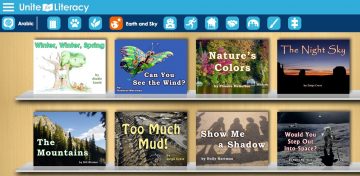 Unite for Literacy
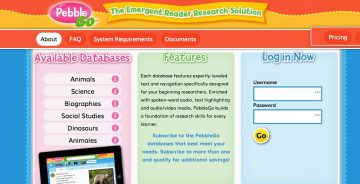 PebbleGo