
Setting Our Sights on Virtual Reality
Virtual realities (VR) are computer-created environments in which people can interact with what has been programmed or, when linked to some kind of network or on-line access, with each other.
Typically, users wear some kind of headset or goggles to facilitate their sensory experience, which is primarily visual (sometimes fully 360°) and perhaps aural and/or tactile. Environments might be fictional or non-fictional, and interaction passive or active (Moreno & Mayer, 2007).
Although we might consider any back-and-forth communication between two or more people as inter-activity, only a meaningful connection that helps one or more than one of them learn something is interactive learning (Moreno & Mayer, 2007). Moreno and Mayer (2007) are careful to clarify further that interactivity does not “cause” but rather helps “promote” learning (p. 321) although perhaps their conclusion does not fully account for the effects of the hidden curriculum.
Therefore, when planning lessons, teachers should avoid the temptation to try VR for its own sake, which can produce a more gimmicky effect. Instead, they might consider exactly how interactive learning can help enrich their students’ experiences, not only by appealing directly to students’ senses but by directly confronting their capabilities: “… students’ areas of expertise can become the ‘real’ of real-world applications, and students’ knowledge can successively alter curricular outcomes” (Schneider et al., 2014, p. 562).
Create, Make, Innovate: Getting Hands-on with Learning Design
Recap of the session held in the Scarfe Foyer Fall 2019:
At this week’s Create, Make, Innovate! activity session, on Tuesday, November 19th, 2019, teacher candidates had the chance to learn about creating VR experiences for the classroom using Google Tour Creator.
“Today’s media-savvy students compose and read texts that include alphabetic- and character-based print, still images, video, and sound. They listen to podcasts, watch animations on the Internet, film their own videos, and compose visual arguments on paper and online. These rich, multilayered texts demand multimodal literacy skills of their readers, who must navigate the different, intersecting media.” (Gardner, 2007, p. 93)
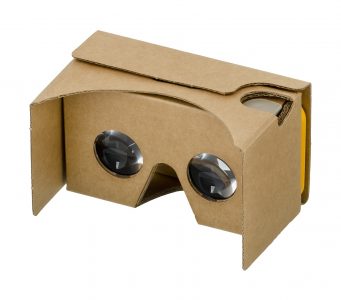
Cardboard Goggles (Image by WikimediaImages from Pixabay)
Google offers a suite of VR apps, branded as Google Cardboard on account of the homemade goggles that you can make yourself. While the goggles are novel and can be fun to try on, they are not necessary in order to use the apps, which range from the amusing to the cinematic.
The Education Library in Scarfe has several sets of goggles available for loan. However, if you do take on making some goggles, as an initial project, they can actually lend a more cozy feel to watching later on since those goggles are thanks to your own hard work!
Resources
Check out the Scarfe Digital Sandbox for other interactive VR apps, such as Discovery VR, and also Merge Cube, which is an Augmented Reality (AR) tool.
“The virtual worlds we have designed have strong visual elements that are historically and culturally related to specific literary texts…. They can incorporate sound and video files to create museum and role-play environments.” (Arver, 2007, p. 37)
Related to VR is MOO, which also functions as a multi-user on-line network but in a text-based rather than a sensory-based format. MOO systems find their origins in the role-playing adventure game, Dungeons & Dragons, in which players adopt roles and interact as protagonists during an imaginary adventure, usually while sitting together around a table. MOO systems take that experience on-line.
Typically, each MOO user is able to contribute to its programming, which affects everyone else’s experience. In the classroom, a teacher might create a VR or MOO experience that corresponds to a novel study, such as Lord of the Flies (Arver, 2007) or Brave New World (Rozema, 2003), and let students “interact as additional characters, discuss and solve problems based on the circumstances of the story, and complete classroom assignments within a virtual environment” (Arver, 2007, p. 37).
“The best way of thinking about a literary MOO, then, may be as an electronic book club that meets within the story world of the book itself and invites all to participate on equal footing.” (Rozema, 2003, p. 38)
Clarify Your Intentions, Justify Your Lessons
Author and scientist, Jaron Lanier, has been credited with creating and even coining the name “virtual reality.” While his original motivation for VR stemmed from empathy, to connect with other people and their perceptions of things, Lanier has since critiqued proponents of VR. A “machine-supremacy approach” to technology in general, he says, has “made the world of information ever more dominant” (Kahn, 2011).
However, he still credits VR for its medical and counselling applications (Adams, 2017). With that said, maybe it’s not a stretch to suggest that the concept of VR – if not the technology per se – has other origins: theatre and dramatic stage performance. After all, theatre has long been appreciated for offering a cathartic effect to its audiences.
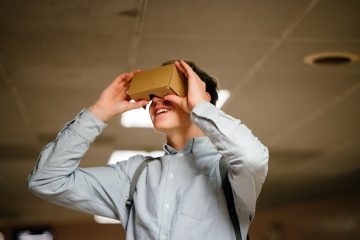
Photo by mentatdgt on Pexels
On that basis, VR could be of interest to Arts and Humanities teachers on account of its potential to emphasise literary elements such as setting (time and place) and point-of-view (1st-person, 2nd-person, or 3rd-person). In fact, these two elements of literature undergo a perplexing conflation when considered in light of VR, just as they do for people who find themselves “stuck in the middle of a tale” (Rozema, 2003, p. 33) while reading a novel, and especially for audiences of live theatre performance.
For instance, as we take in a play from our vantage in the audience, we willingly accept the make-believe conceit that the actors on stage portray characters in a drama that unfolds somewhere in or perhaps beyond our own world. What we recognise before the lights dim as a stage, a proscenium, curtains, rigging, PAR lights, and so forth, we readily accept as time-and-place unique to the story being told. VR asks no less of us and simultaneously attempts to challenge our senses more directly since we now occupy the protagonist’s first-person point-of-view. Indeed, there are many works of literature in which setting can be considered a character.
Weighed against Jaron Lanier’s critique, endorsements of classroom VR can seem somewhat rhapsodic (Adams, 2009). Nonetheless, VR makes its own worthwhile case as a way for teachers to create meaningful interactive learning.
Acknowledgement: post author, Scott Robertson; editor, Yvonne Dawydiak
Interdisciplinarity, collaboration, hands-on learning – that’s the spirit of Create, Make, Innovate! We want to promote enthusiasm for sharing and learning across age groups and across subject disciplines.
Make, Create, Innovate sessions took place during the Fall 2019 in the foyer of the Neville B. Scarfe building and were hosted by Scott Robertson, a project assistant on a small TLEF grant with Dr. Lorrie Miller, Dr. Marina-Milner Bolotin and Yvonne Dawydiak, Teacher Education.
If you have an idea or an inspiration for a resource or future session, please let us know! scarfe.sandbox@ubc.ca
References
Adams, M. G. (2009, July). Engaging 21st-century adolescents: Video games in the Reading classroom. The English Journal, 98(6), 56–59.
Adams, T. (2017, November 12). Jaron Lanier: ‘The solution is to double down on being human’. The Guardian. Retrieved from https://www.theguardian.com/technology/2017/nov/12/jaron-lanier-book-dawn-new-everything-interview-virtual-reality
Arver, C. (2007). Are You Willing to Have Your Students Join Ralph, Jack, and Piggy? The English Journal, 97(1), 37–42.
Gardner, T. (2007, July). Bold books for teenagers: Internet literature for media-savvy students. The English Journal, 96(6), 93–96.
Kahn, J. (2011, July 11, 18). The visionary: A digital pioneer questions what technology has wrought. The New Yorker. Retrieved from https://www.newyorker.com/magazine/2011/07/11/the-visionary
Moreno, R. & Mayer, R. (2007). Interactive multimodal learning environments: Special issue on interactive learning environments: Contemporary issues and trends. Educational Psychology Review, 19(3), 309–326.
Rozema, R. A. (2003, September). Falling into story: Teaching reading with the literary MOO. The English Journal, 93(1), 33–38.
Schneider, J. J., Kozdras, D., Wolkenhauer, N., & Arias, L. (2014, March). Environmental e-books and green goals: Changing places, flipping spaces, and real-izing the curriculum. Journal of Adolescent & Adult Literacy, 57(7), 549–564.
Feature Photo Credit: Stella Jacob on Unsplash
Design-Based Learning: STEM and Simple Machines
Watching children play, particularly very young children, we can see they behave scientifically.
Children observe and collect. They wonder and deduce, and they’re methodical. They collaborate – sometimes! – and when they’re puzzled, they experiment and make adjustments.
At whatever age STEM learning occurs, though, make no mistake: it is real STEM learning, not mere child’s play (McClure, 2017). The earlier that children begin STEM activities, the sooner they begin to hone what Katehi, Pearson, and Feder (2009) call engineering habits of mind: systems thinking, creativity, optimism, communication, collaboration, supported persistence, and attention to ethical thinking. And, obviously, these habits of mind apply to more than just STEM work.
“In the minds of these children, too, there was a complex inner process – one that is hard to see, which often results in adults underestimating young children’s current capacities” (McClure, 2017, p. 84)
Teachers can make good habits, too, while teaching STEM-related material, which again can apply beyond STEM lessons: designing and facilitating experiential learning tasks, for instance, or asking questions of students vs providing them with answers, or collaborating with colleagues and the local community. Before long, students and teachers are spotting STEM links all over the curriculum. For instance, classroom engineering activities become a practical way for students to see abstractions like mathematics in action while a look at simple machines prompts the chance to notice just how commonly we rely on them every single day.
Along with reinforcing habits of mind, sustained STEM learning also influences students’ longer-term post-secondary and professional decisions. As we look for ways to make STEM careers more inclusive and accessible to all, researchers have found that women who were made more aware of career opportunities during their school years were more likely to select engineering as a post-secondary degree major (Tyler-Wood et al., 2012; Frehill, 1997).
“A STEM identity is developed by active participation in the environment” (Subramaniam et al., 2012, p. 176)
Learn from the educators at UBC Engineering’s Geering Up Program about how to design your own design challenge using this resource they’ve shared with us!
Create, Make, Innovate: Getting Hands-on with Learning Design
Recap of Create, Make, Innovate! session, held on Tuesday, November 12th, 2019 in the Scarfe foyer: It all about simple machines: wheel-and-axle, wedges, inclined planes, pulleys, levers, and screws.
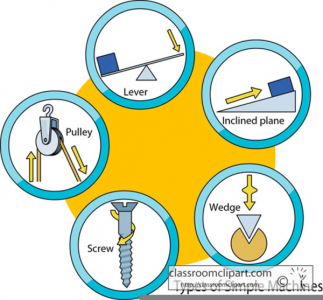
Free Clip Art by >\\sas from clker.com
Using a variety of basic tools, e.g. scissors, screwdriver, a small X-acto knife, you and your students can design and build simple machines of your own, with inexpensive everyday materials like dowels and planks of wood, cardboard tubing, pipe cleaners, buttons with twist ties, string or twine, and a spring scale. By planning ahead and adjusting after experimentation, they will be able to tackle straightforward design challenges that illustrate physical concepts in action, like force, work, friction, mechanical advantage, and the law of conservation of energy, just to name a few.
Simple machines are found literally everywhere, and they are a super way to introduce students to physics and engineering.

Free Photo by vũ tuấn from Unsplash
A basic model approach to engineering really does read like children at play: observe, design, build, experiment, adjust. For hands-on classroom activities, it’s hard to find something more stimulating, more instructive, or more fun than simple machines and engineering. And because simple machines have no power source and require someone or something to make them work, what better source of energy than curious students and their teachers!
Resources
British Columbia’s K–12 curriculum features a subject discipline called Applied Design, Skills, and Technologies (ADST), which “builds on students’ natural curiosity, inventiveness, and desire to create and work in practical ways” in order to “… provide firm foundations for lifelong learning.” As early as Kindergarten, students can take a role in learning how to apply ADST principles such as cross-disciplinary thinking, collaboration, and contextualised problem-solving.
On the Scarfe Digital Sandbox, you’ll find some terrific STEM resources, like PhET, which is particularly about Engineering, including simple machines, and also Arduino, specific to electronics, another fun STEM topic we explored back in September.
Check out the Boston Museum of Science website, where the month of November 2019 is Women and Girls in STEM Month. You can explore the Museum’s wide array of engineering lesson ideas and activities, which are suitable for all ages.
In-class, project-based learning has proven effective for student learning as compared to out-of-class projects, which are less significant. (Hansen & Gonzalez, 2014)
Read about some very young engineers and their simple machines in this article from the Early Childhood Research and Practice (ECRP) open-source e-journal, published by Loyola University in Chicago.
Acknowledgement: post author, Scott Robertson; editor, Yvonne Dawydiak
Interdisciplinarity, collaboration, hands-on learning – that’s the spirit of Create, Make, Innovate! We want to promote enthusiasm for sharing and learning across age groups and across subject disciplines.
Make, Create, Innovate sessions took place during the Fall 2019 in the foyer of the Neville B. Scarfe building and were hosted by Scott Robertson, a project assistant on a small TLEF grant with Dr. Lorrie Miller, Dr. Marina-Milner Bolotin and Yvonne Dawydiak, Teacher Education.
If you have an idea or an inspiration for a resource or future session, please let us know! scarfe.sandbox@ubc.ca
References
Frehill, L. (1997, Spring). Education and occupational sex segregation: The decision to major in Engineering. The Sociological Quarterly, 38(2), 225–249.
Katehi, L., Pearson, G., & Feder, M. (Eds.). (2009). Engineering in K-12 education: Understanding the status and improving the prospects. Washington, DC: National Academies Press. Retrieved from https://www.nap.edu/read/12635/chapter/1
McClure, E. (2017, November). More than a foundation: Young children are capable STEM learners. YC Young Children, 72(5), 83–89.
Subramaniam, M., Ahn, J., Fleischmann, K., & Druin, A. (2012, April). Reimagining the role of school libraries in STEM education: Creating hybrid spaces for exploration. The Library Quarterly: Information, Community, Policy, 82(2), 161–182.
Tyler-Wood, T., Ellison, A., Lim, O., & Periathiruvadi, S. (2012, February). Bringing up girls in Science (BUGS): The effectiveness of an afterschool environmental Science program for increasing female students’ interest in Science careers. Journal of Science Education and Technology, 21(1), 46–55.
Featured Photo Credit: “Stainless Steel Bolt With Lock” – Free Photo from Pexels
Be SMART Savvy! IWB’s in education
Interactive WhiteBoards (IWBs), like the SmartBoard, became commonplace in schools about a decade ago. Today, many sit idly or have been replaced by less expensive interactive (or non-interactive) projectors like the Epson. These newer projectors turn any surface into an interactive touch screen. Newer Smartboard products even include multi-touch surfaces.
IWB’s afford access to a variety of learning opportunities and can support inclusion according to Universal Design for Learning theory (Pellerin, 2013). They promise the ability to increase student engagement by providing a focal point for instruction, interactivity, gaming and animations. This increased focus and engagement can improve student learning (Troft and Tirotta, 2009). Of course, a real shift in engagement and interactivity comes from the ways in which we use technologies rather than from the technologies themselves. 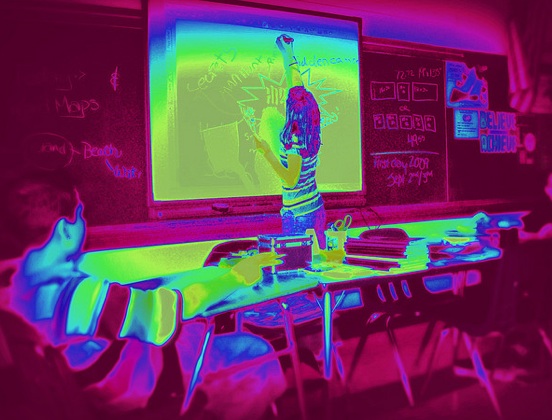
Consider: How are IWBs used in the classroom and to what effect? Are they simply a place to hang student work, a glorified projection screen or are they transformative tools?
Whether you create a lesson or find one on-line, be sure to engage in formative assessment and reflection as you go (Weston, 2004). Try asking yourself critical questions as you explore:
Does the lesson or interactivity:
1. Support and/or meet the learning targets, current curriculum or the needs of the students and/or the teacher?
2. Provide a transformative experience rather than simply replacing existing technology? i.e. is there some affordance you have with this technology/interactivity/lesson that you would not otherwise have?
3. Reflect the pedagogy of the classroom teacher and/or current educational philosophy?
• Does it encourage student-centered learning or personalization? Do students USE the IWB or simply watch it?
• Does it allow for active learning? student knowledge creation? small group work? hands-on interactivity?

Resources:
SMART Exchange (teacher created lessons organized by subject/grade level – http://exchange.smarttech.com/#tab=0
Scholastic – http://teacher.scholastic.com/whiteboards/learninggames.htm
Planning for Smartboards/IWB (a White paper by SMART Technologies) – http://bit.ly/1aLny0f
Secondary Science: some possibilities for digital tech integration
One cannot truly experience science without experiencing its technological dimension. As a result, emergent technologies have increasingly shaped students’ experiences with science as well as influenced their relationships with natural/physical world. (Oliveira et al, 2019)
This fall, I had the pleasure once again of working with two of our Science Ed instructors, Leslie Johnstone and Oksana Bartosh, to plan some class sessions intended to expose teacher candidates in Secondary Science (Chem, Jr. Science and General Science) to emerging technologies through a series of hands-on, play based stations. Our aim was for the students to begin to consider the role of these technologies and to uncover both the possibilities and challenges in their own teaching contexts.
Our Stations included
(NB: content of stations varied across the four sections of Jr. Science, General Science & Chemistry See the Prezi presentations slides below for specific content)
- Coding across Curriculum – data analysis and sensors:
- Micro:bits (impact sim, CO2 sensor by Eric) – Micro:bits kits available on load in Ed Library – see Yvonne to borrow CO2 sensor
- Simulations and Video (PHET, Annenberg Chem & ACS Virtual Chem)
- Video and Simulations in the Science classroom – afford the opportunity for students to try experiments that might be otherwise impossible or, perhaps, just inaccurate if done hands-on. Sims and video can also support varied learners including ELLs in pre-playing or re-playing hands-on experiments. Check out PHET for some free, open access sims. For some amazing video experiments, see: Olympian vs. Toaster and Evolution of Bacteria on a Megaplate.
- Science 360 – an app and website that houses a large database of science videos and content
- Consider the value of student (or teacher) created video
- *Camtasia for video editing,
- *VideoScribe for animation
- *both of these robust softwares are available free to UBC students!
- ShowMe app for quick multi-modal video creation & formative assessment) – there are many different apps in this class called ‘whiteboard’ apps
- Stop Motion Studio: storytelling in science contexts can help students make sense of science content and abstract ideas in personal and concrete ways. Another app you might try is iMotion.
- All class response & Collaborative tools
- Polling: Kahoot, Menti, Plickers (the free downloadable cards)
- Collab and co-creation: a Padlet wall, AWW online drawing app & Concept mapping using Mindmup
- During the session, we discussed the value of incorporating approaches including digital technologies that move beyond ‘teacher asks question’, ‘students raise hands and respond one at a time’. Students had the opportunity to put their ‘teaching hats on’ and explore Padlet or Kahoot. A few additional thoughts about these systems:
- Student privacy (Kahoot, Menti and Padlet do not require students to login or give personal info!)
- The system is only as effective as the questions posed! What constitutes an effective question?
- How might gaming and competition impact student learning and how might it be leveraged or tempered..
- Emerging Tech (a little more on Augmented and Virtual Reality at the bottom of this post)
- Theodore Gray’s Elements – interact with the periodic tables on a handheld device (this one is a paid app but very powerful and worth chatting with your school librarian about!)
- Leslie had fun sharing Curioscope Virtual-i-tee – a very cool AR T-shirt & accompanying App that allows students to peer inside the human body
- Merge Cube – this $15 AR spongy cube & accompanying free apps allow students to hold the the beating human heart, lungs, the earth and even the entire solar system in their hands! The ‘hologram’ that appears in your VR headset, ipad or smartphone is interactive to an extent (you can see different sides of an object by turning the cube or with a swipe or tap, adjust the view, see annotations, or even look inside of the object)
- StarWalk – allows you to see the night sky ‘in real time’ at any given place or time. Hold it up to view the horizon or sky above you; hold it down to the floor and see through to the southern hemisphere! This app is transformative in that without such an app, students really have a difficult time visualizing the movement of the celestial sphere (and we definitely can’t show them this during the school day!).
- Google Tour Creator (student and teacher created 360° VR environment that offers an immersive experience learners can explore on their own. Students found out how to use existing templates (ranging from human anatomy to the solar system) and how a group of learners can customize and annotate the template and use it as a collaborative storytelling tool.
- 360 video, VR content
- If you’re interested in checking out fully immersive VR environments, visit the UBC Emerging Media Lab in IKE Barber.
A word about groupings and stations:
In your classroom, especially if students are new to cooperative learning, we would advise creating groupings in advance of class. The groupings might be homogeneous or heterogeneous and based on any number of factors including ability or interest depending on the objectives of the teacher and the needs of the students. Sometimes, randomized groupings can be used and have the added benefit of introducing students to opportunities to interact with many different members of the class. There are many online options. GroupMind, a lovely little App developed by Louai Rahal an Education PHD student & instructor I met a few years ago, is free and open for you to use with no sign up required. For more on groupings, this article by Beatrice A. Ward (1987) is worth a read.
As a very science interested teacher, it is always a pleasure to work with subject area specialists! If you’d like to explore anything related to teaching, learning and digital technology further, please be in touch or click the ‘Ask a Question’ link in this blog. Sign up for a Scarfe Tea Party (Mondays 4-5:30), Gearing up for practicum session (Dec – Feb) or drop in to Scarfe 1007 one Wednesday this term. Schedule here.
References:
